Case study 02/08 // Product · AI studio
Shareables
An agent studio that turns rough notes into branded, self-contained HTML pages and publishes them as immutable links.
The write-up
Shareables
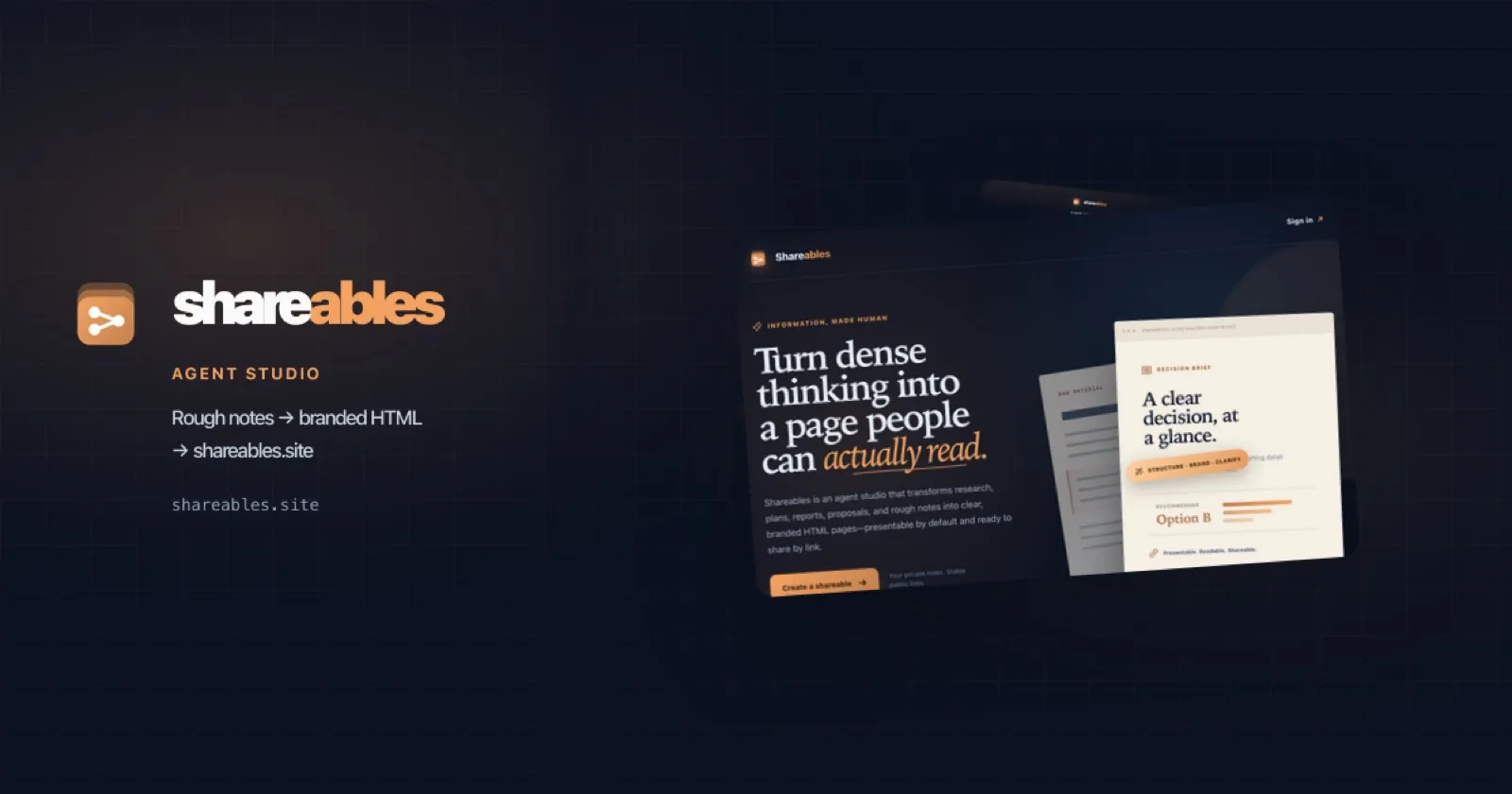
Shareables is an agent studio that turns research, plans, reports, proposals, and rough notes into clear, branded HTML pages — presentable by default and ready to share by link. Chat with an authoring agent, preview live HTML, then publish an immutable snapshot to a stable URL on shareables.site.
The product grew out of a personal, private docs host at shareables.yahyatarique.dev: same idea of self-contained pages agents can read, productized into a multi-user studio with workspaces, auth, and Raycast.
Project Overview
Shareables has two layers that share one philosophy — the source of truth for a plan should be a readable web page, not a chat transcript or a locked private note.
- Personal host (
shareables.yahyatarique.dev) — a static Vercel site of self-contained HTML pages, grouped by project, published in one command, with login-gated catalogs, no-index public leaves, runtime OG cards, and a command bar for humans and agents. - Shareables Studio (
shareables.site) — a Next.js product where an AI authoring agent drafts freeform HTML with a skill-style tool harness, freezes snapshots on publish, and serves them atshareables.site/{user}/…orshareables.site/{user}/{project}/….
Product loop
- Open
/studioand chat with the page agent. - The agent uses harness tools (
list_siblings,read_page_html,read_draft,write_draft/write_section,set_meta,publish) to draft HTML and reuse project design language. - Preview updates live in an iframe (
srcdoc/ blob refresh). - Publish freezes the HTML snapshot and returns the canonical URL.
Key Features
- AI HTML authoring: Vercel AI SDK
ToolLoopAgent+@ai-sdk/reactchat — section-by-section drafts, sibling-aware branding, rejected stub/TODO pages - Freeform snapshots: self-contained HTML (inline CSS/SVG, Mermaid when useful), not a typed CMS document model
- Workspaces & brand: optional workspace logo/accents, productized OG cards, indexes that read as project docs
- Auth & access: Auth.js (GitHub / Google / credentials), workspace RBAC, private vs unlisted pages, personal command bar
- Admin control plane: analytics, entitlements, audited inspection (phased delivery)
- Raycast command center: companion extension for quick access into the studio
- Personal host DNA: no-index public leaves, login-gated catalogs, agent-readable share links (see the Field Guide)
Brand & Design
Shareables uses a dark-first identity:
- Navy
#0b1120for surfaces - Gold gradient
#F4A261→#C1804Dfor the coaster-stack mark and accents - Wordmark:
share+ goldables - Coaster-stack logo: three stacked rounded cards with a share node-and-edges glyph
Studio UX keeps markdown in chat, a collapsible sidebar, and a preview that opens when HTML exists and uses full height.
Technology Stack
Shareables Studio (shareables.site · repo shareables-studio):
- Next.js App Router, React, TypeScript
- Vercel AI SDK (
ToolLoopAgent,useChat) via AI Gateway - Auth.js (GitHub / Google / demo credentials)
- Neon Postgres + Drizzle when
DATABASE_URLis set (in-memory otherwise) - Vercel Blob for HTML storage when configured
- Vitest for unit tests; Raycast extension under
Raycast Development/shareables
Personal host (shareables.yahyatarique.dev):
- Static HTML leaves +
shareables.jsonmanifest publish.mjs→ git mirror → Verceldist/minify deploy- Runtime OG (
@vercel/og), Edge live KV flags, HMAC sessions
Development Highlights
- Skill-shaped authoring: the studio harness mirrors the personal Shareables agent skill — list siblings, reuse design language, publish a stable URL
- Reliable writes:
write_draftdoes not wipe sections unlessreplace: true; body chunks go throughwrite_sectioninto<section data-section="…">wrappers - Workspace URLs & OG: hard cutover toward workspace-led public paths so sharing reads as project docs, not personal blogs
- Command bar: fuzzy search, scoped queries, recents, and copy-link actions on both the personal host and the product surface
My Contributions
- Designed and built the personal shareables publish system (manifest, indexes, OG, privacy model, command bar, skill +
publish.mjs) - Productized that model into Shareables Studio: Next.js app, AI authoring loop, Auth.js, workspace RBAC/brand, OG pipeline, admin control plane, light mode, and Raycast integration
- Authored internal design/implementation plans (site generator, auth/command bar, workspace brand/OG, admin control plane) as living shareables
- Owned branding: coaster mark, navy/gold tokens, landing and studio chrome
Technical Achievements
- End-to-end path from private agent-docs host to a multi-user AI studio on shareables.site
- Freeform HTML as the artifact (portable, agent-fetchable) with product concerns (auth, workspaces, OG, admin) layered around it
- Production hardening: OAuth branding checks, reliable multi-section authoring under rate limits, blob/DB optional local modes for fast iteration
Technical Challenges Solved
- Authoring reliability: streaming huge
write_draftcalls and mid-loop 429s — short tool turns, section continuation, sanitize empty assistant parts - Preview freshness: React
srcDocnot re-parsing — blob-URL /document.write-style refresh for partial HTML - Next.js routing: sibling dynamic segments under the same path — optional catch-all under
[username]for public HTML - Privacy model: no-index without no-access so teammates and their agents can still fetch shared leaves; catalogs stay login-gated
Shareables is the productized form of a workflow I needed myself: turn dense thinking into a page people (and agents) can actually read. Start at shareables.site, or read the origin story in the Field Guide.